Why you’d want a review analysis extension
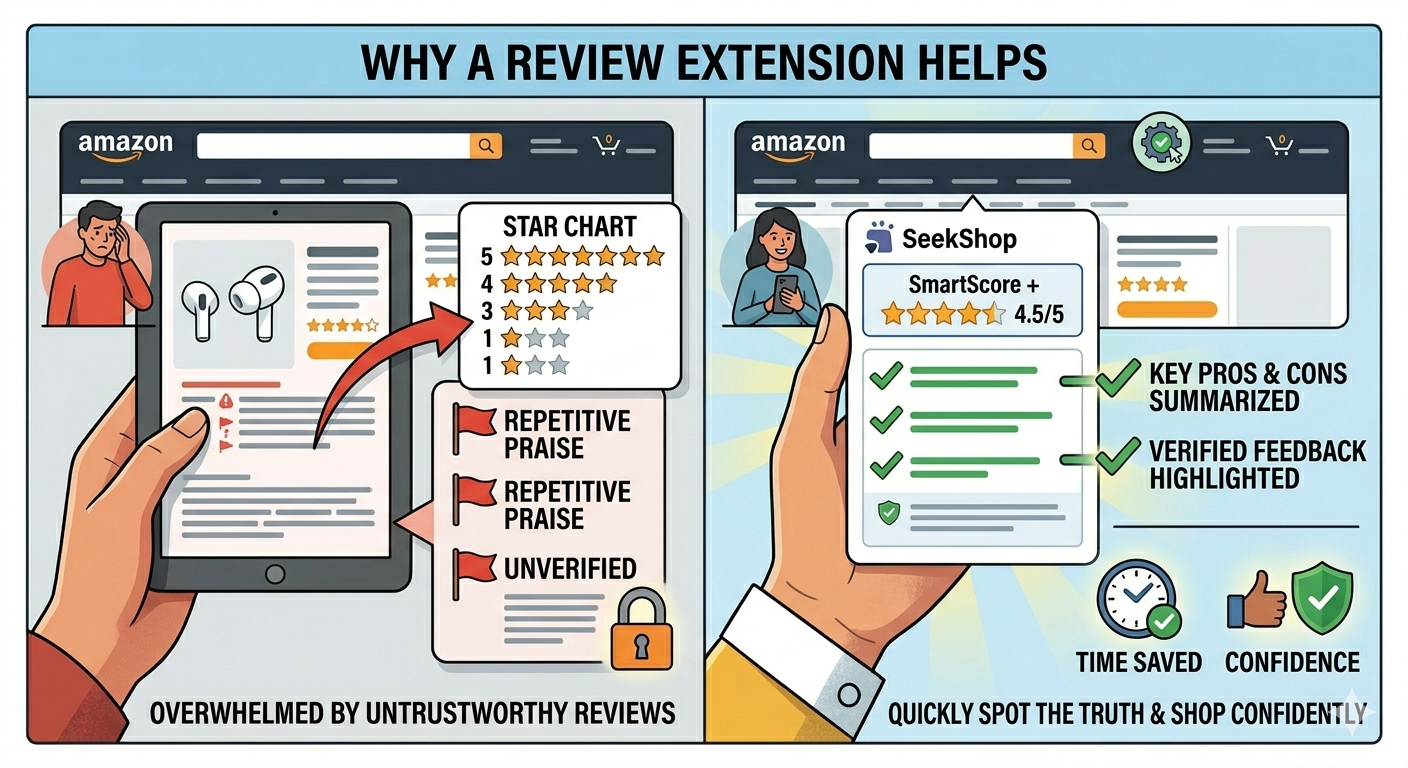
If you’ve spent time manually cross-referencing Amazon reviews against Reddit and YouTube before a major purchase, you already understand the problem the SeekShop Chrome extension solves. The manual process works – checking multiple platforms before buying is genuinely the best defense against fake reviews – but it takes 15-30 minutes per product. The SeekShop extension automates that cross-referencing, showing you a SmartScore on Amazon product pages without any extra steps.
What the extension actually does
The SeekShop Chrome extension sits quietly in your browser and activates when you’re on a product page. When it detects a product, the extension icon in your Chrome toolbar alerts you that a SmartScore is available. One click opens the analysis panel — no tab switching, no copying URLs, no navigating away from the page you’re on.
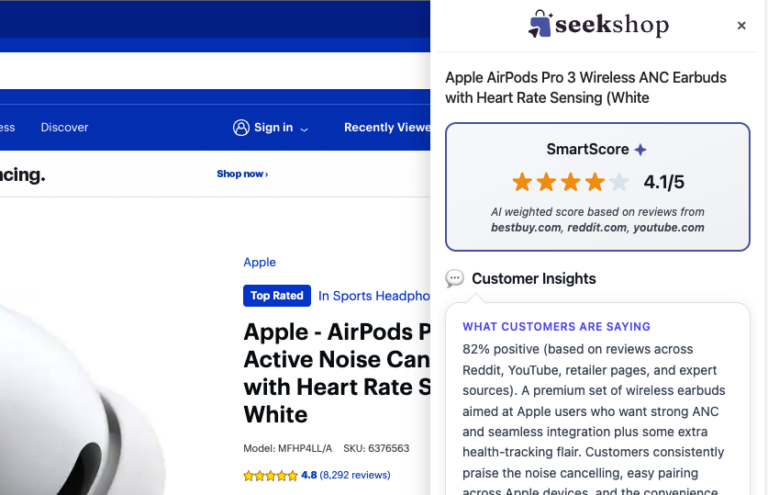
The panel pulls data from Reddit, YouTube, retailer pages, and expert sources to generate a SmartScore — a trust-weighted rating based on what people across the web actually think about the product. Beyond the score, you get the key insights driving it: what customers consistently praise, the main complaint or caveat, and a plain-English Takeaway on whether it’s worth buying.
How to install the SeekShop extension
Installing the extension takes about 30 seconds. Open the Chrome Web Store link for the SeekShop AI Review Analyzer. Click “Add to Chrome.” A permissions dialog will appear – SeekShop requests access to Amazon and other retail pages to analyze product listings, which is necessary for the extension to function. Confirm the installation.
Once installed, the extension icon appears in your Chrome toolbar. No account creation is required to start using it – it works immediately after installation.
Using the extension while shopping on Amazon
Navigate to any product page as you normally would. When SeekShop detects the product, the extension icon in your Chrome toolbar will alert you that a SmartScore is ready. Click it to open the analysis panel.
The SmartScore gives you an immediate read on cross-platform sentiment. Expand the panel to see the full breakdown: overall sentiment percentage, what buyers consistently praise, the main criticism, and the Takeaway verdict.
The most useful signal is when the Amazon star rating and the SmartScore diverge significantly. A product with a 4.7 on Amazon and a low SmartScore is telling you something the Amazon rating isn’t — that the broader cross-platform picture looks different from what one retailer’s review section shows. That’s the scenario where the extension earns its keep.
Getting the most out of it
The extension is most valuable in categories with high review manipulation rates: electronics accessories, supplements, beauty products, kitchen gadgets, and consumer goods from unknown brands. Use it as a quick check on any product before a significant purchase.
For products with very few reviews across platforms – very niche items, recently launched products – the SmartScore may have limited data. The extension will indicate when its confidence in the score is lower due to limited cross-platform data.
You can also use the extension to compare products. Browse multiple options in a category and compare their SmartScores side by side. Products that consistently score high across platforms have earned genuine cross-platform reputation; products that score differently across platforms may perform better or worse depending on specific use cases.
Common misconceptions
The extension doesn’t share your browsing history. SeekShop analyzes Amazon product pages to generate SmartScores; it doesn’t track or share your browsing behavior beyond what’s necessary for the product analysis function. Review SeekShop’s privacy policy for the complete data handling description.
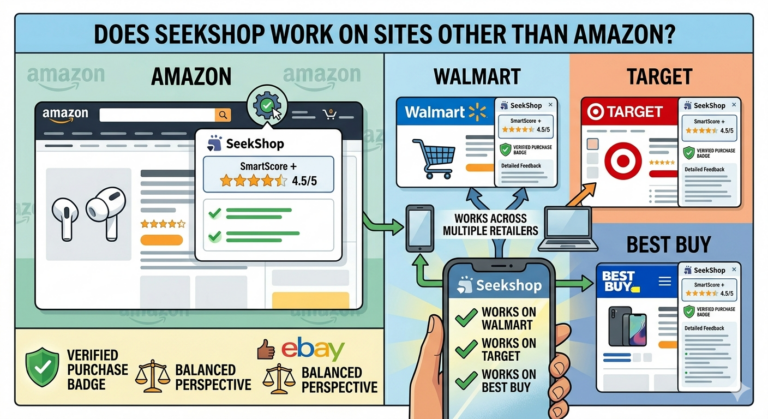
The extension works on Amazon, not just the SeekShop website. The core value of the extension is the in-context display – you don’t need to navigate away from Amazon or copy-paste a product URL elsewhere. The analysis comes to you in your normal shopping flow.
A high SmartScore isn’t a purchase recommendation. The SmartScore tells you what broad cross-platform customer sentiment indicates about the product. It doesn’t account for your specific needs, preferences, or use case. Use it as one input in your decision, not as a definitive endorsement.
How SeekShop helps
The Chrome extension is the most frictionless way to access SeekShop’s SmartScore system. Rather than navigating to a separate tool and entering product information, the extension delivers the cross-platform analysis automatically in the context where you’re already making shopping decisions.
For situations where you want more detail or are researching outside of Amazon, the SeekShop web tool lets you enter any product and get the full SmartScore breakdown.
Frequently asked questions
Does the SeekShop extension work on browsers other than Chrome?
The extension is currently available for Chrome and Chromium-based browsers (Edge, Brave, Opera). A Firefox version is in development. Safari is not currently supported.
Does the extension slow down Amazon page loading?
The SmartScore analysis runs asynchronously – it doesn’t delay the initial page load. The score appears within a few seconds of the product page loading, typically before you’ve finished reading the product description.
Can I use SeekShop without the extension?
Yes – the SeekShop web tool provides SmartScore analysis for any product. The extension is more convenient for in-context Amazon shopping; the web tool is useful for research outside Amazon or on devices where the extension isn’t installed.
Is the extension free?
Yes, the extension is free. Install it at the Chrome Web Store – no account required.
Bottom line
The SeekShop Chrome extension automates the product research that most shoppers skip because it takes too long. Land on any product page, get an alert that your SmartScore is ready, click once, and know what the rest of the web thinks — without leaving the page you’re already on.
Install at the Chrome Web Store, or check any product directly at seekshop.co/review.